Welcome / Sport Selection
First-run experience — sport discovery & app entry
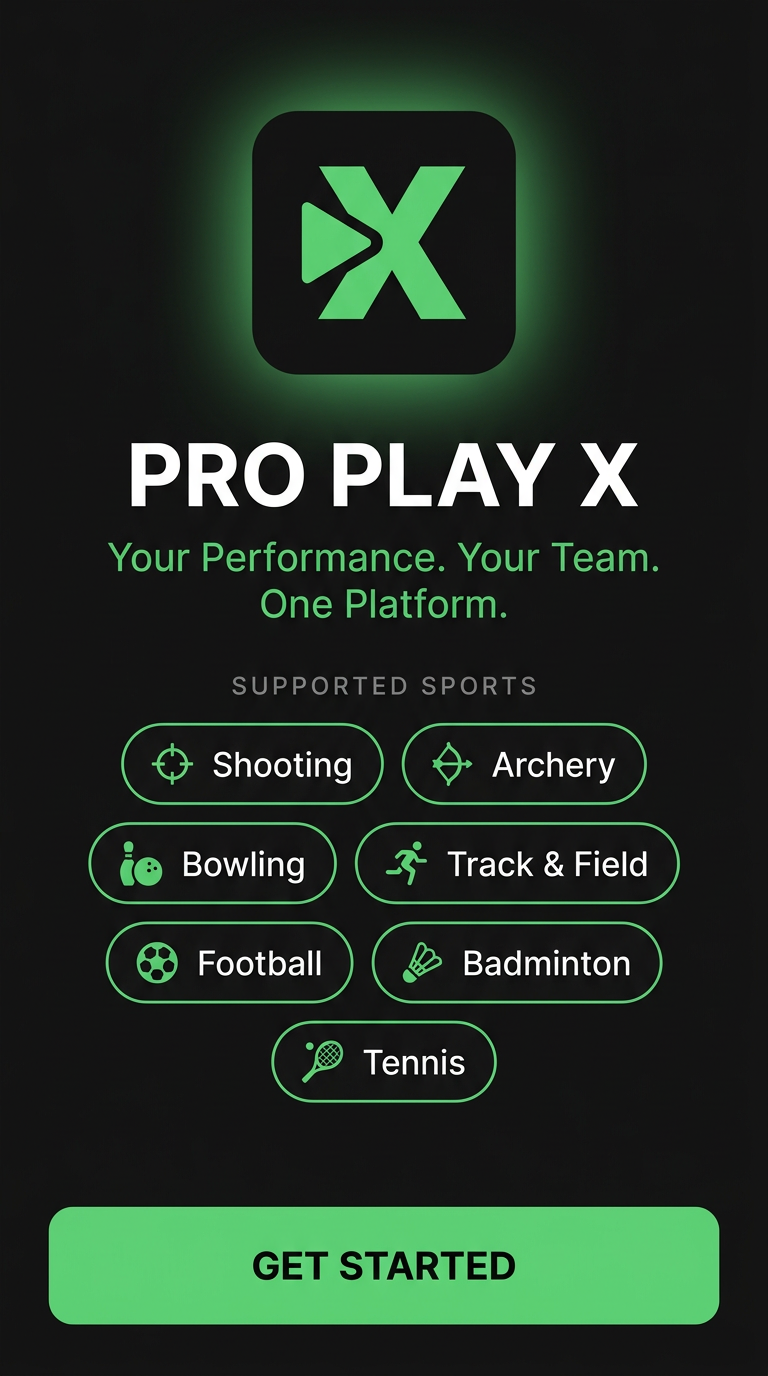
Brand Mark + Glow
Stylized green "X" with integrated play triangle. Soft glow establishes brand identity.
Tagline
"Your Performance. Your Team. One Platform." — positions dual value (athlete + coach).
Supported Sports Grid
7 sports in green-outlined chips with custom icons. Instantly communicates platform breadth.
Sport Icons
Custom-drawn vector icons per discipline — target, bow, pin, runner, ball, shuttle, racket.
Get Started CTA
Solid green primary button. Black text on green for max contrast & accessibility.
Performance Dashboard
Athlete home — metrics, trend chart, recent results
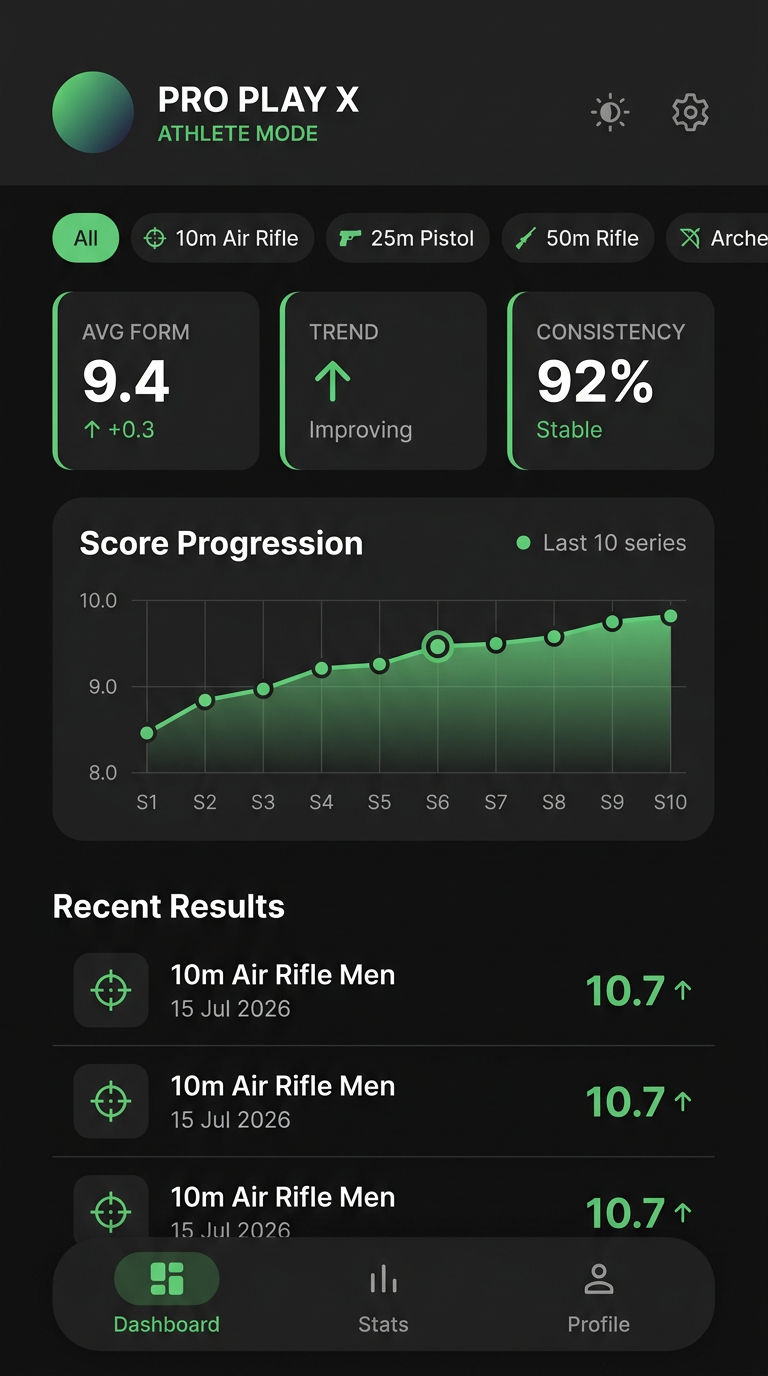
Mode Toggle + Settings
Light/dark switch & gear icon. Athlete Mode label confirms active perspective.
Event Filter Chips
"All" + sport-specific filters. Tapping isolates analytics to one event type.
3-Metric Cards
Avg Form (9.4 ↑+0.3), Trend (Improving), Consistency (92% Stable). Proprietary analytics.
Score Progression Chart
fl_chart line graph — last 10 series. Gradient fill emphasizes trajectory.
Recent Results List
Event name, date, score with trend arrow. Tap to view full detail with target.
Bottom Nav
Dashboard / Stats / Profile. Persistent navigation across athlete perspective.
ISSF Target — Shot Recording
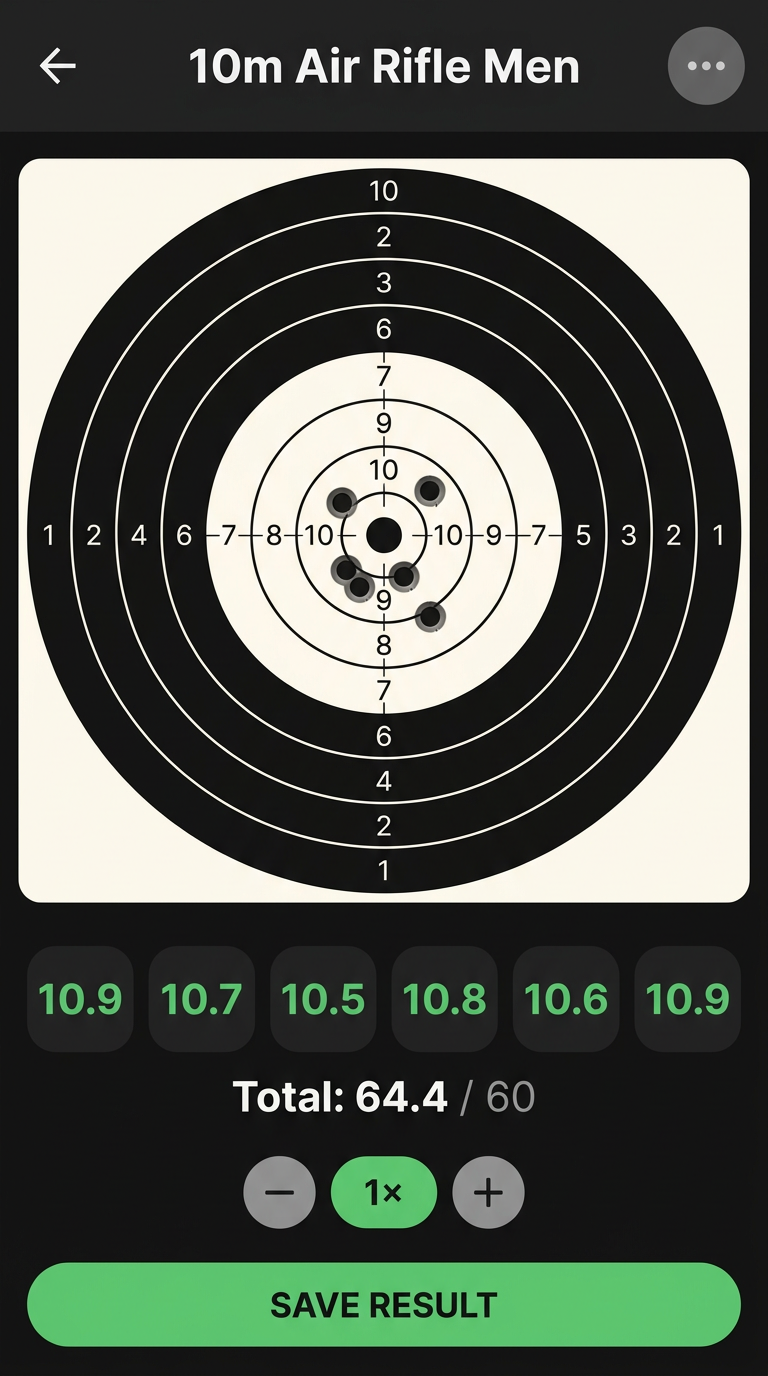
Tap-to-plot scoring with decimal precision (10.9 max)
Back Navigation
Returns to previous screen. Standard iOS/Android back affordance.
Event Context Menu
Three-dot menu for event-specific options. Header shows active event name.
10-Ring ISSF Target
Canvas-rendered concentric rings. 7 plotted shots visible as black marks. Tap to add.
Decimal Shot Scores
Per-shot breakdown: 10.9, 10.7, 10.5, 10.8, 10.6, 10.9. ISSF decimal scoring to 0.1.
Total + Multiplier
Running total (64.4/60). 1x/2x/3x multiplier for converted-score events.
Save Result CTA
Persists shots, coordinates, and score to local ObjectBox DB. Offline-capable.
Team Leaderboard
Coach perspective — ranked roster with sport-aware metrics
Add Athlete Button
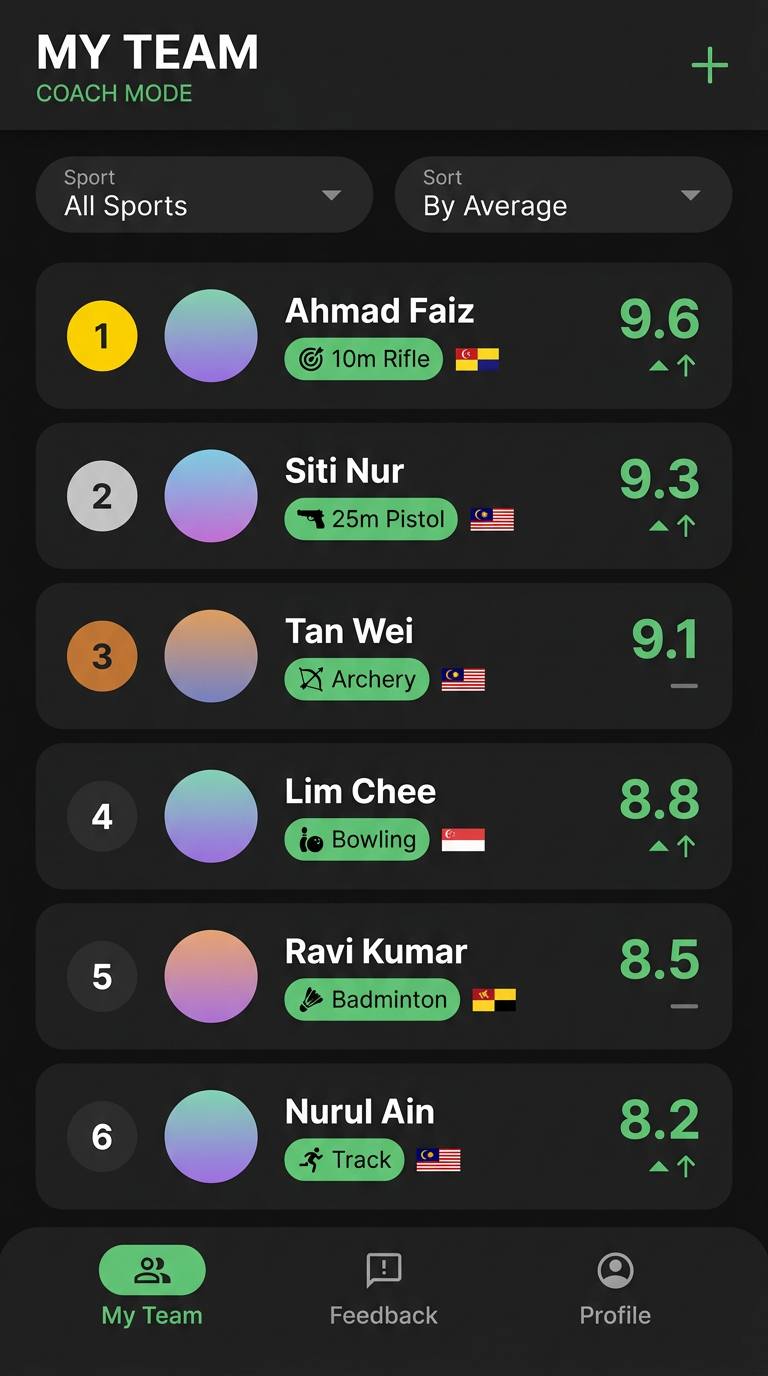
Green "+" — adds new team member. Long press an athlete to edit, swipe to delete.
Sport Filter
Dropdown narrows leaderboard to one discipline. "All Sports" shows full roster.
Sort Control
"By Average" default. Sport-aware: avg score for targets, win rate for matches.
Rank Badge
Colored medal-style badge (#1 gold, #2 silver, #3 bronze). Podium visual for top 3.
Athlete Card
Avatar, name, sport badge, state flag, score. Tap → athlete stats. Long press → edit.
Trend Indicator
↑↑ improving, — stable, ↓ declining. Visual cue for form trajectory at a glance.
Result Detail + Coach Feedback
Closed-loop coaching — score, target, metrics, and feedback in one view
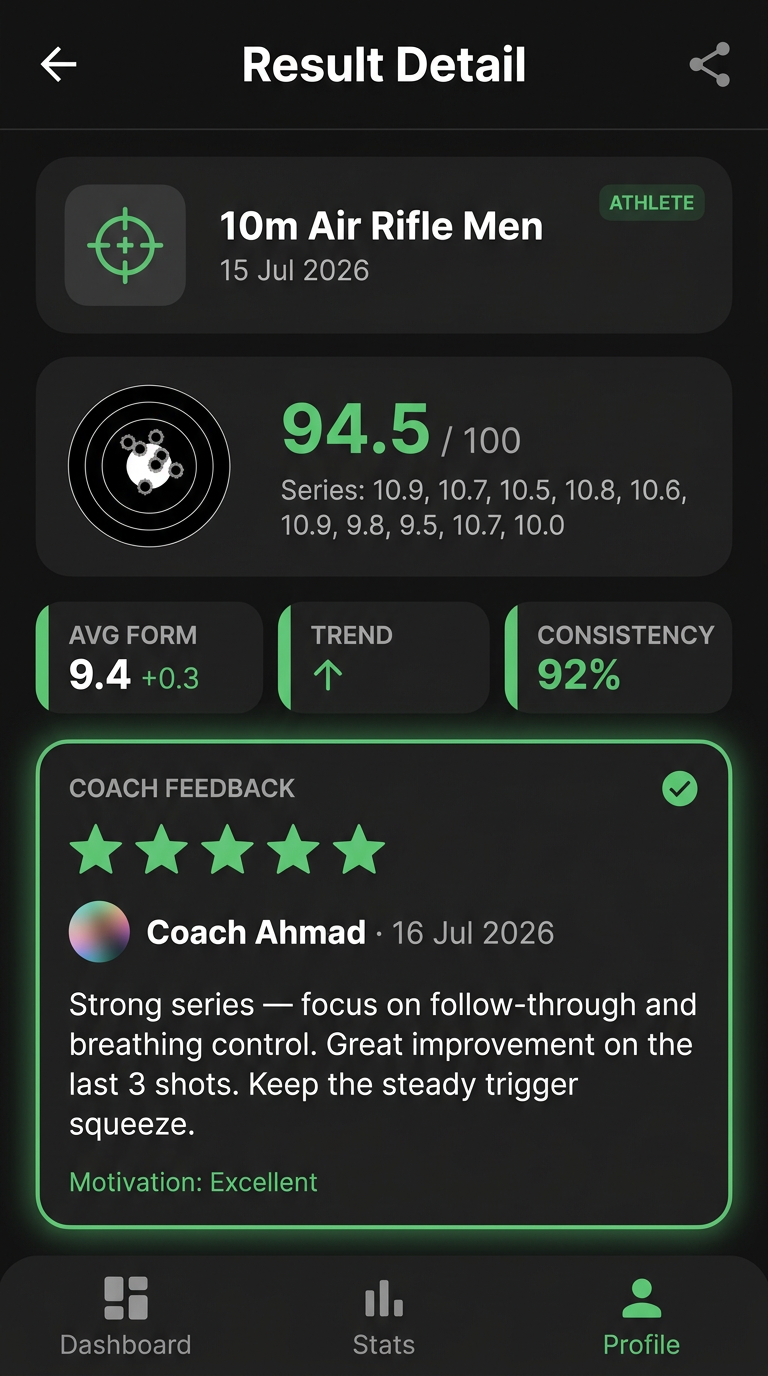
Share / Export
Three-dot share icon. Exports result as .ppx file for peer-to-peer sync.
Score Summary
"94.5 / 100" in green. Event name, date, athlete label for full context.
Mini Target + Series
Scaled bullseye with shot marks. Full series breakdown: 10.9, 10.7, 10.5, 10.8...
3-Metric Strip
Avg Form / Trend / Consistency repeated at result level for per-session context.
Coach Feedback Card
Glowing green border. 5-star rating + written commentary + coach name + timestamp.
Motivation Tag
"Motivation: Excellent" — coach's qualitative assessment. Closes the feedback loop.